May 2, 2026
How to make App Store screenshots look professional without a designer
Your app is polished, your code is clean, and the UX is intuitive. But when a potential user lands on your App Store page, they see flat, 2D screenshots that look like a student project. In the three seconds it takes a user to decide whether to scroll or bounce, your visuals are telling them the app is "unfinished."
Learning how to make app screenshots look professional doesn't require a degree in graphic design or a monthly subscription to a complex 3D suite. It requires understanding how depth, lighting, and perspective create perceived value.
The "Flat Screenshot" Conversion Killer
Most solo developers fall into the same trap: they take a standard screen recording or a system screenshot and place it inside a basic 2D frame. While this is technically "correct," it lacks the psychological cues that signal quality to a user.
Flat visuals feel sterile. They don't evoke the feeling of holding a real device in your hand. When every other app in your category is using cinematic angles and soft shadows, a flat screenshot makes your product feel dated, regardless of how innovative the actual software is.
The result is a lower conversion rate. You might be getting the impressions, but you aren't getting the installs because the "packaging" doesn't match the quality of the "product."

Why Manual 3D Design is a Bottleneck
Once developers realize flat screenshots aren't working, they usually head in one of two directions: hiring a freelancer or trying to learn 3D software. Both paths create new problems.
Hiring a designer is expensive and slow. Every time you update a feature or tweak a UI element, you have to send new screenshots to a contractor and wait days for the revised renders. This friction kills your ability to iterate on your App Store optimization (ASO).
On the other hand, tools like Blender or Cinema 4D have a learning curve that is essentially a vertical wall. Spending twenty hours learning how to set up a PBR material or a lighting rig just to export five screenshots is a poor use of a developer's time. You need a way to get studio-quality results without becoming a 3D artist.

Moving Toward 3D Device Visualization
The solution isn't to "learn design," but to use tools that automate the design rules for you. Professional-looking screenshots rely on three specific elements:
- Perspective: Angling the device to create a sense of three-dimensional space.
- Studio Lighting: Using rim lights and soft shadows to define the edges of the hardware.
- High Fidelity: Using accurate device models (like the iPhone 16 or 17 series) that users recognize.
When you combine these, the app stops looking like a "screenshot" and starts looking like a "product." Instead of a flat image, you have a cinematic asset that suggests a premium experience.

Creating Professional Assets with Protato
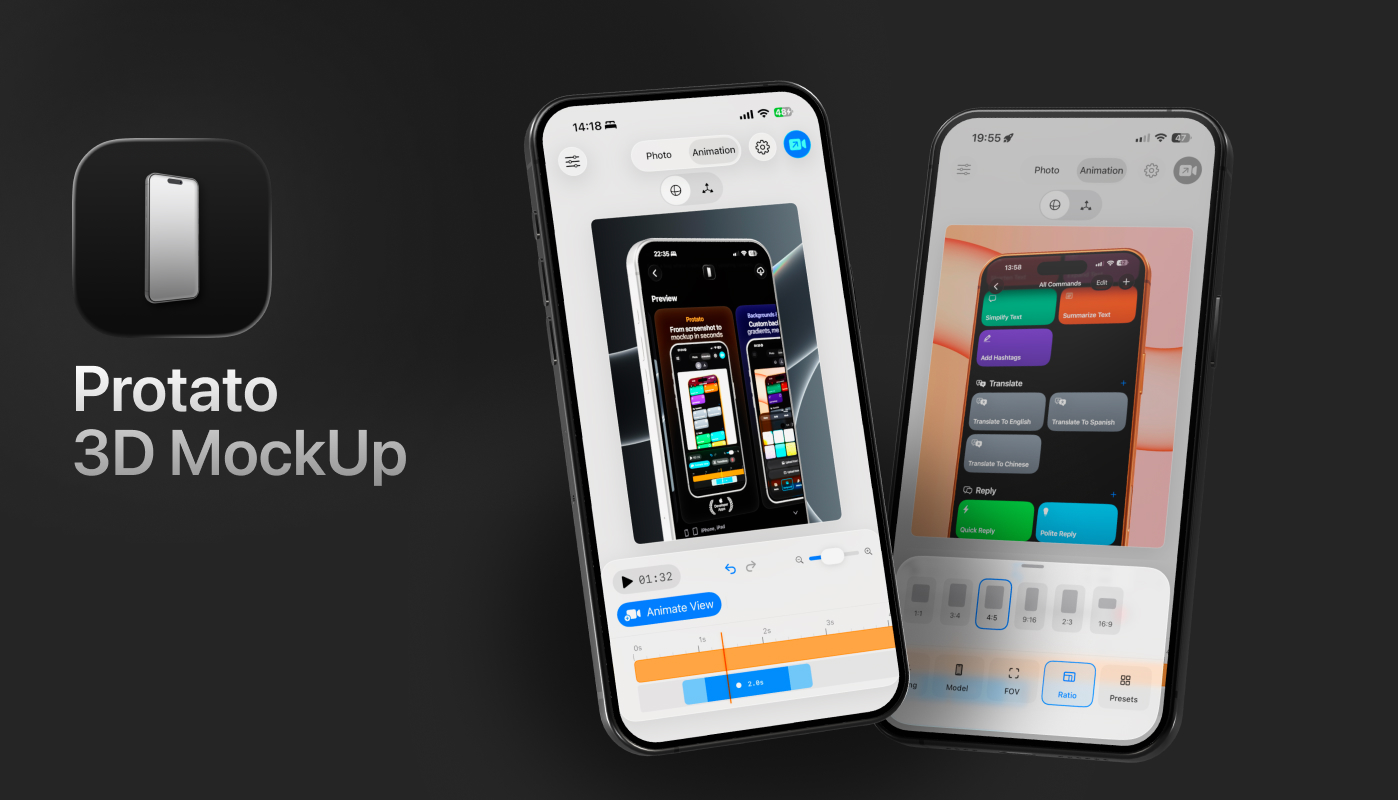
This is where Protato fits into your workflow. Rather than wrestling with complex coordinates or paying for every revision, Protato allows you to generate these high-end visuals natively on your Mac, iPad, or iPhone.
To make your app screenshots look professional in minutes, the workflow is straightforward:
1. Drop in your content Drag and drop your screenshot or a screen recording directly into a high-fidelity 3D iPhone model. If you use a video, Protato handles the looping and perspective automatically.
2. Apply a lighting preset You don't need to place individual lights. Choose "Studio" for a clean, commercial look or "Dramatic" for something more cinematic. This instantly adds the depth and reflections that signal "professional" to the viewer.
3. Set your angle and background Orbit the phone to find an angle that highlights your best feature. Set a transparent background if you want to layer the phone into a custom design, or use a soft gradient to keep the focus on the device.
4. Export in 4K Export your final result in 4K resolution. This ensures that whether your screenshot is viewed on a small phone or a massive Pro Display XDR, the edges remain crisp and the textures look real.
Stop letting amateur visuals hold back your download numbers. You've done the hard work of building the app—now make sure the world sees it in the best possible light.
Create professional App Store screenshots in seconds. Download Protato on the App Store
Felix Tran
Indie Developer & Protato Editorial Lead
Write about everyday workflows. Especially around design, writing, and shipping ideas fast